Chinese
 Spanish
 Russian
 Portuguese
 French
 German
 Indonesian
 Thai
Thai Vietnamese
 Arabic
 Italian
 Turkish
 Polish
 Japanese

Modbus RTU troubleshooting starts with the actual request and response, not the cloud dashboard. A timeout, an exception reply and an implausible measurement are different faults. Record which one occurs before changing the gateway: otherwise a wiring repair can be confused with a register-mapping change.
Identify who is polling the instrument
A gateway may poll field instruments itself, convert incoming Modbus TCP requests, or transport serial bytes for another application. Those arrangements need different settings. Establish which component originates the request and which serial port it uses. A network connection alone does not start a polling schedule.
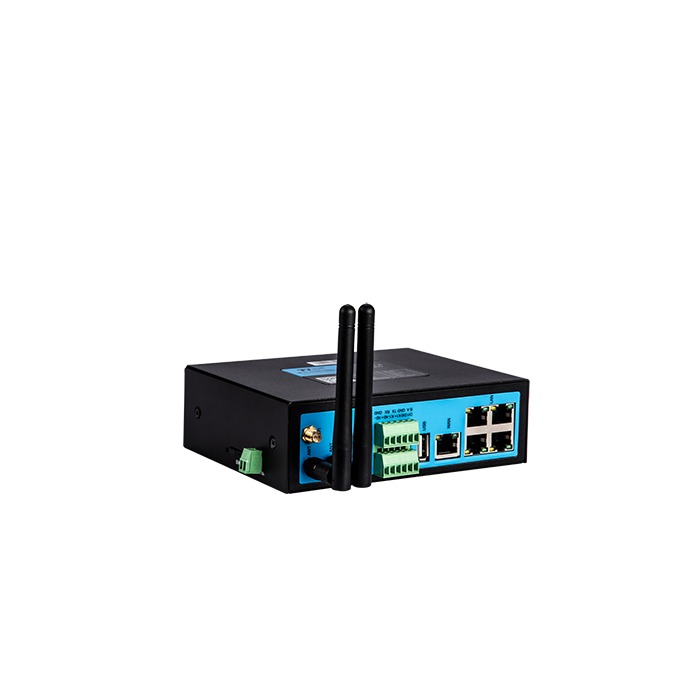
The METRAVON TG451 lists one RS485 port and Modbus RTU/TCP support. Confirm the operating mode and mapping functions in the installed firmware. Its Ethernet ports do not create extra independent RS485 buses, and the register definitions still come from each connected instrument.
Modbus RTU troubleshooting by observed result
| Result | What it tells you | Next check |
|---|---|---|
| No reply | The requester did not accept a response before its timeout. | Check instrument power, port selection, serial format, address and the captured traffic. |
| CRC error | The captured frame failed its integrity check. | Check analyser settings and frame boundaries, then investigate line noise, collisions and wiring. |
| Exception | A responding device rejected the requested operation. | Read the exception code and confirm the device, function, address and requested quantity. |
| Wrong value | A reply was decoded, but the result does not match the expected measurement. | Compare raw registers with the documented type, order, scale and current process value. |
An exception is evidence of a completed exchange, not proof that the entire installation is reliable. Confirm that the intended instrument replied; duplicate addresses can make the result misleading. Equally, a timeout does not prove the cable is broken. A disabled polling task, wrong port or request that the device ignores can produce the same symptom.
Prove one read without disturbing the operating bus
Export the gateway configuration and save a failed capture with timestamps. During an approved maintenance window, test one instrument and one documented read-only value. Use its current address and serial settings, not an assumed factory default. On a Modbus serial bus, address 0 is reserved for broadcast writes, which receive no reply; it is not an address for testing a register read. Query the configured individual address and check that no other instrument on the segment uses it. If a separate test master is needed, remove competing polling under the site's procedure rather than attaching another active master to the same live bus.
Compare the successful test with the gateway request byte for byte where diagnostic tools allow. If both requests are identical but only one succeeds, examine timing, port wiring and turnaround behaviour. If the short test works but the installed cable fails, continue with RS485 topology and interference checks; changing cloud credentials cannot repair that difference.
Resolve the register definition before adding more points
Function 03 reads holding registers; function 04 reads input registers. A manual's printed register reference and a gateway's address field may use different numbering conventions. Establish the mapping from a known value rather than subtracting one from every number automatically. The requested block must also stay within the device's supported range.
Once the reply is valid, record the raw words alongside the decoded result. The device documentation must identify signedness, value width, floating-point representation where applicable, word order, scale and unit. Do not repair a wrong interpretation by adding an unexplained multiplier. A value that looks plausible at one operating point may become wrong as soon as it changes sign or magnitude.
Expand the poll list gradually. Observe scan duration when a device is slow or absent, because retries can delay otherwise healthy points. Define how the consuming application distinguishes the last good value from a fresh measurement. Verify any gateway-to-platform transformation separately from the serial read.
Questions from integration work
Q1. Should a longer timeout be the first adjustment?
Only when a capture shows that a legitimate reply arrives after the current timeout. If there is no request, the wrong address is queried or the line is corrupted, a longer wait mainly delays diagnosis. Record the response timing and the effect on the full scan before keeping the change.
Q2. Does changing the SIM affect a failed local register read?
Not when the gateway itself is polling locally and the failure is already visible at its serial port. Check the uplink after local acquisition succeeds. For a remote-master arrangement, distinguish whether the request reached the gateway before drawing that conclusion.
Q3. What is needed for a TG451 integration review?
Provide the instrument's register document, a successful or failed frame capture, current serial settings, firmware version and required gateway mode. Include the point count and refresh requirement so the review covers polling behaviour, not just whether a connector fits.
Summary
A repeatable read of a known register is the useful starting point. Carry its verified settings into the gateway, then prove decoding and stale-data behaviour at the destination. Send METRAVON the capture and mapping details when requesting configuration support or a gateway quotation.