Chinese
 Spanish
 Russian
 Portuguese
 French
 German
 Indonesian
 Thai
Thai Vietnamese
 Arabic
 Italian
 Turkish
 Polish
 Japanese

MQTT gateway connection failures should be investigated at the first stage that fails: destination lookup, network connection, TLS where required, broker acceptance, or message permission. Changing a topic cannot repair a failed TLS handshake. Preserve the client error and the corresponding broker log so the next test addresses the right stage.
Confirm what the installed gateway is running
The METRAVON TG451 gateway lists MQTT among its software functions, but the required firmware mode and platform message design still need confirmation. Record firmware version, MQTT version, transport, broker hostname, service port and the identity assigned to this installation.
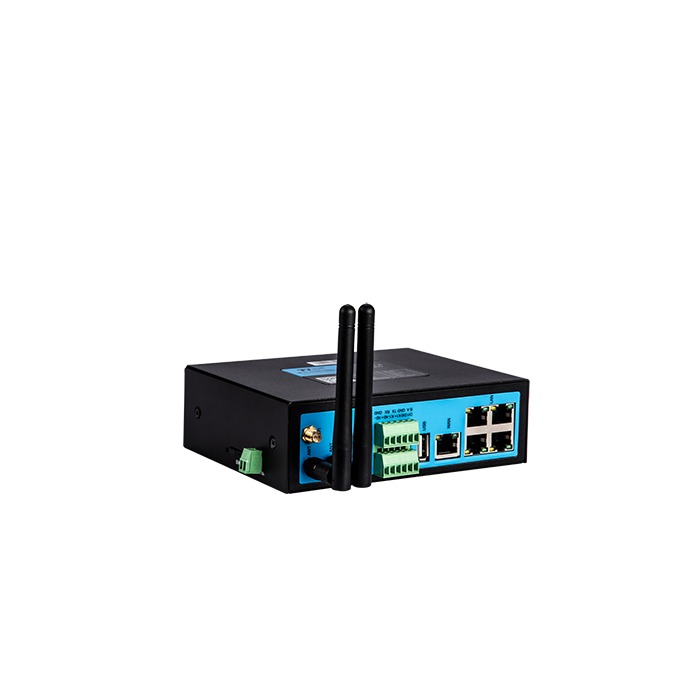
Check the actual service specification for plain TCP, TLS or another supported transport. Do not infer the correct port from a remembered default. Confirm that the configured destination is the broker endpoint, not a web-console address or a load-balancer route intended for a different service.
Locate MQTT gateway connection failures in the logs
| Result | Likely stage | Useful evidence |
|---|---|---|
| Name fails | Destination lookup has not produced a usable address. | Record the hostname, resolver result and active network path without changing credentials. |
| Port fails | The requested service connection is not established. | Compare the connection attempt with server-listener and firewall records. |
| TLS fails | The secure session has not been established. | Retain the handshake error and verify time, hostname and required certificate material. |
| Broker rejects | The server has returned an MQTT connection result. | Interpret the result using the negotiated protocol version and the broker's log. |
| No usable data | Connection acceptance has not produced the expected application result. | Inspect topic permissions, payload handling and the platform's accepted-record log. |
Correct trust and identity without bypassing them
For TLS, confirm the gateway clock, certificate validity and hostname. A private certificate authority requires the appropriate trust configuration. Where mutual TLS is required, establish that the client certificate and private key match and belong to the intended device.
Do not upload private keys into support tickets or disable certificate verification to make the error disappear. Ask the service owner for the expected trust chain and supported connection settings, then apply them through the authorised configuration process.
MQTT client identity and publish permissions are separate concerns. A broker can accept a connection while rejecting an unauthorised operation. Check the exact topic, case and account policy. With MQTT 3.1.1, when a broker accepts a new connection using an already connected client identifier, it disconnects the existing client. Two gateways using that identifier can therefore repeatedly displace one another as they reconnect. Compare client identifiers and broker connection times before changing antennas or keepalive settings.
Separate a successful publish from a correct measurement
The broker transports a payload; it does not inherently validate the engineering meaning of a sensor value. Compare a captured message with the agreed schema and a checked source reading. Verify units, scaling, source identity and acquisition time before diagnosing the absence of a trend as a connectivity issue.
A QoS 1 PUBACK confirms that the MQTT receiver has accepted responsibility for the message, not that the final database has stored the measurement. QoS 1 can deliver duplicates; QoS 2 prevents duplicate delivery within its protocol exchange but does not certify downstream database processing. Check the QoS supported by the installed firmware and receiving service, then define how the application identifies and reconciles repeated records. A retained message is not a time-series archive, and the existence of a session is not proof that every earlier measurement remains available.
For unstable sessions, compare keepalive configuration, network interruptions and server-side closure reasons. Set retry and keepalive behaviour from the service requirements and observed conditions. Aggressive retry loops can conceal the original error and burden the destination.
Use an isolated client comparison only when it answers a specific question
An approved test client on the same network can help distinguish service reachability from a gateway configuration issue. Give it a separate identity and a permitted test topic. Do not duplicate a live device identity or publish test values into production measurements.
Keep a record of which endpoint, transport and credentials class were tested. A successful laptop connection over another network is useful evidence, but it does not verify the gateway's route, clock or trust store.
MQTT integration questions
Q1. Should topics be changed when the broker never accepts the session?
First resolve the failed connection stage. Normal telemetry-topic mapping is relevant after acceptance, although connection-associated features may have their own policy requirements. Use the broker's actual rejection result rather than changing unrelated fields.
Q2. Does successful authentication prove publish permission?
No. Confirm the authorised operations and exact topic paths for the account. Then check the payload accepted by the downstream application; transport permission and application validation are distinct.
Q3. What should be included in an MQTT support request?
Send the model and firmware, protocol version, transport, endpoint, error time and sanitised client/broker results. Include a redacted topic and payload example when the session works but data fails. Exclude passwords, tokens and private keys.
Summary
Diagnose the failed connection stage, then verify message permissions and engineering data separately. Request a METRAVON MQTT configuration review with the recorded error and service specification, not only a screenshot showing offline status.