Chinese
 Spanish
 Russian
 Portuguese
 French
 German
 Indonesian
 Thai
Thai Vietnamese
 Arabic
 Italian
 Turkish
 Polish
 Japanese


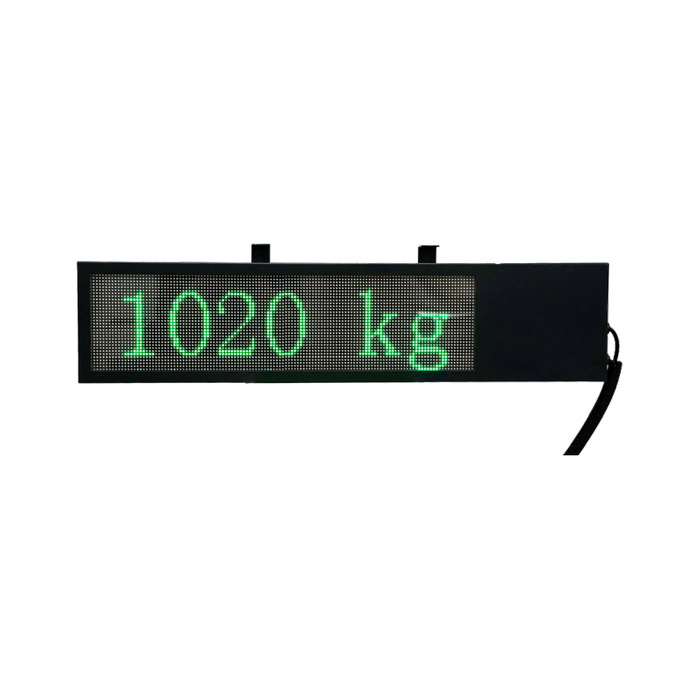
METRAVON MV-WA0015 is a dot-matrix remote weight display offered in standard and extra-large formats. Its listed automatic communication-format recognition still requires compatibility confirmation with the intended weighing instrument. Send the indicator's output documentation before selecting the display or planning the connection.
Automatic recognition has a compatibility limit
Automatic format recognition is not a promise to decode any data stream. Ask which formats the supplied version recognises and how the connection must be configured. The available product specification does not identify a universal protocol, supported baud-rate range or automatic detection of every electrical interface.
A practical compatibility test should use the actual instrument or representative output data. Include the required decimal places, sign and weight values. If the application depends on a unit, status indication or other field, request a demonstration of that field rather than assuming a dot-matrix screen can display arbitrary host content.
Separate the display area from the enclosure
| Version | Enclosure dimensions | Display area |
|---|---|---|
| Standard | 837 x 190 x 60 mm | 606 x 150 mm |
| Extra-large | 1382 x 420 x 140 mm | 1280 x 320 mm |
The enclosure figures govern the physical installation; the display-area figures describe the visible area. Neither specifies a viewing-distance rating. Check readability at the intended location under normal lighting and confirm the mounting arrangement, clearance and support load from the installation drawing.
Agree the behaviour when data stops
During commissioning, interrupt the incoming data under controlled conditions and observe the display. Establish whether the installed configuration blanks, holds a value or provides another indication, then define how operators recognise a lost connection. Repeat the check after reconnecting the instrument and after a power restart. These tests establish the behaviour of the supplied system; no particular fault indication is promised here.
For projects requiring only a seven-segment weight readout, the MV-WA0014 size range is another option to assess. Choose between them using the required information and the demonstrated host connection, not enclosure size alone.
Dot-matrix display questions
Q1. Does the screen support product names or multilingual messages?
Dot-matrix construction does not by itself confirm a character set or a user-programmable message function. Submit the exact required text and host commands for evaluation. Approve a demonstrated layout before including such functions in the purchase specification.
Q2. Can the display determine weight without a weighing instrument?
No direct load-cell measurement function is established for this model. Plan a compatible instrument to acquire and process the sensor signal, then provide the remote display with supported data. A visible weight value on a demonstration screen is not evidence of an integrated weighing input.
Enquire about MV-WA0015 with the version, instrument model, sample output, required fields and installation conditions. Include the cable distance and available supply, and request written confirmation of the interface, power and environmental requirements before installation.