Chinese
 Spanish
 Russian
 Portuguese
 French
 German
 Indonesian
 Thai
Thai Vietnamese
 Arabic
 Italian
 Turkish
 Polish
 Japanese

An industrial router can appear offline on the platform while still having a valid IP address. First identify which interface owns that address: a configured LAN address says nothing about cellular service, and an assigned cellular address says nothing about application acceptance. Trace the connection to the intended destination before changing instrument settings or replacing the router.
Identify what the address actually proves
Record the active uplink, assigned address, route, DNS settings and connection time. Compare them with the deployment design. A wired link may be active while the application is still attempting to use a different route, or a cellular session may exist without a working route to a private server.
The METRAVON TR341 provides a WAN-plus-four-LAN arrangement, with the WAN port reassignable as LAN. Verify the deployed roles rather than assuming a particular cable is the upstream connection. Port count does not identify which route the application uses.
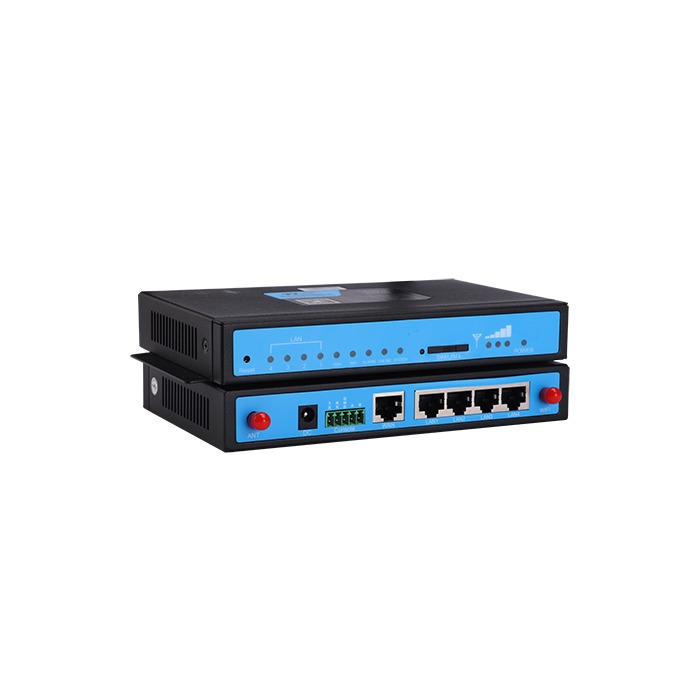
Industrial router offline: follow the first failed handoff
| Stage | Evidence to retain | Owner check |
|---|---|---|
| Network | Active interface, route and destination-name result. | Check operator or private-network routing and the address actually used by the client. |
| Service | Connection attempt to the required host and port. | Compare gateway evidence with firewall and server records for the same time. |
| Identity | Authentication result and the device or account identifier. | Verify that credentials and provisioning belong to the correct installation. |
| Data | Accepted message time, payload result and source status. | Check field mapping and platform processing separately from transport connectivity. |
Test only approved destinations and services. Ping can be blocked independently of the application port. Where a private APN or VPN is used, have the network owner confirm the intended route and return path. Opening broad firewall access is not an acceptable diagnostic conclusion.
Check the secure connection before changing platform fields
If TLS is part of the connection, compare the configured hostname, device clock and trusted certificate material with the server requirements. Record whether the attempt times out, fails certificate validation or reaches application authentication. These failures need different fixes.
Confirm that the expected device, tenant or account is provisioned. A valid credential for another site may authenticate differently or send data into an unexpected account. Review server logs with the platform operator instead of repeatedly regenerating credentials without evidence.
Where access is restricted by the site's egress address, check whether that address changed after an uplink switch. A private address displayed on the router is not necessarily the address observed by the destination. Use the network owner's approved method to establish the actual source seen by the server.
Find out how the platform decides that a device is online
Some platforms track a session; others use a recent heartbeat or valid telemetry record. Obtain the actual rule. An accepted connection with no valid measurements may still appear offline, and a stale status indicator may remain online after acquisition has stopped.
Compare the last raw message, the last accepted measurement and the displayed status time. Check units, field names, timestamps and quality flags against the agreed schema. A missing or rejected payload should not be diagnosed as weak radio coverage simply because the display says offline.
If a PLC or RTU generates the readings, inspect that component too. A router can forward traffic without knowing whether a sensor is valid. The integration acceptance guide separates source values, gateway decoding and platform fields.
Verify the correction through a recovery event
After one controlled change, record the connection result and first valid measurement. Where permitted, repeat the relevant interruption and confirm recovery without manual intervention beyond the agreed procedure. Check that fresh data replaces the stale indication and that any historic records are identified by acquisition time.
Retain a redacted incident timeline and the changed setting. A temporary return to online status is not proof of resolution if the original fault occurs only during route switching, token expiry or a specific reporting cycle.
Platform connection questions
Q1. Does a private cellular address prevent all platform connections?
No. A permitted outbound connection may work without public inbound access. The relevant question is whether the chosen architecture can reach and authenticate to its destination. Inbound management needs its own approved access arrangement.
Q2. Should a replacement router use the old device identity?
Follow the platform's replacement procedure. Reusing an identity while the old unit remains active can produce conflicting sessions or records. Preserve required historical association without leaving two active devices using an identity intended for one.
Q3. What distinguishes a successful repair from an online icon?
The intended source produces a current valid reading, the service accepts it, and the platform maps and timestamps it correctly. Verify those observations and the required recovery behaviour rather than relying solely on the status colour.
Summary
An address is one observation in the connection path, not proof of a working monitoring service. Send the router and platform evidence for review, including the active interface and first failing stage, so network and application work can be assigned correctly.